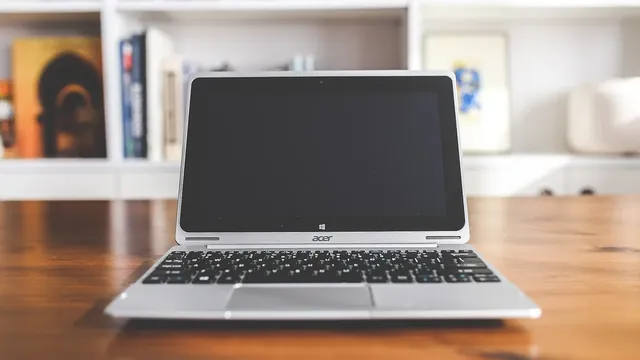
Krira TV on PC & Windows: Complete Setup Guide
Learn how to watch Krira TV on a PC or Windows laptop using an Android emulator, including setup steps, controls, display tips, and performance advice.

Resources
Understand what a VPN does when streaming with Krira TV, how it affects speed and stability, and how to choose settings that protect privacy without ruining matches.
Virtual private networks are recommended so often that many streaming fans install one without being sure what it does. A VPN can genuinely help privacy on public networks, and it can just as genuinely slow a stream if it is configured badly. You can find the current download on the Krira TV official site page.
This guide explains, in plain language, what a VPN changes, what it cannot change, and how to test whether it helps or harms your Krira TV viewing.
No hype in either direction: a VPN is a tool with trade-offs, and live sport exposes those trade-offs ruthlessly.
A VPN encrypts the connection between your device and a VPN server, then routes your traffic through that server. Websites and apps see the server's address rather than your home connection, and your internet provider sees encrypted traffic rather than destinations.
That is the whole mechanism. Everything people attribute to VPNs, privacy, location appearance, public Wi-Fi protection, flows from those two facts.
On cafe, hotel, or airport Wi-Fi, other users share the network with you. A VPN's encryption is most valuable here, wrapping your streaming and sign-ins in a layer that casual snooping cannot read.
On a trusted home network the privacy gain is smaller, and many fans simply leave the VPN off at home for maximum stream speed.
Encryption and the detour through a server cost speed, a little with a nearby quality server, a lot with a distant overloaded one. Live sport notices every lost megabit.
Test honestly: run the same stream with the VPN off, then on, at match-day hours. If the picture downgrades or buffering appears only with the VPN, the trade-off is real for your setup.
Pick the nearest server that meets your need; distance adds delay and failure points. City-level choices within your own country usually cost almost nothing in speed.
If an app or service behaves oddly through one server, switching to another server in the same city often fixes it, individual servers have individual problems.
Many VPN apps offer split tunnelling, which routes chosen apps outside the VPN while everything else stays protected. Streaming is a natural candidate when the VPN measurably harms it.
Use the feature deliberately rather than by accident, and remember which arrangement you chose, confusion about what is routed where causes most VPN mysteries.
Free VPN services must earn money somehow, and some do it through advertising, data practices, or severe speed caps that make live sport unwatchable. The category is not automatically dishonest, but it deserves scrutiny.
Read the privacy policy of any VPN, free or paid, before trusting it with your traffic. A provider that logs everything defeats the point of using one.
Android phones install VPN apps directly. Many Android TV devices do too, while other televisions need the VPN on the router itself, an advanced setup that protects every device at once but complicates troubleshooting.
Change one layer at a time. If a stream fails behind a router VPN, test the phone on the same network to find which layer is responsible.
When a stream will not start with the VPN active, work the sequence: change server, restart the VPN app, test with the VPN off. Each step isolates a different cause.
Persistent problems with one provider are information, not bad luck. Quality differences between VPN services are large, and switching providers is a legitimate fix.
VPNs are legal in most countries, though rules vary by place, and services may set their own terms about how connections are used. Check the rules that apply to you rather than relying on forum confidence.
This guide covers privacy and performance only; viewers remain responsible for following local law and the terms of the services they use.
For most households the balanced pattern is simple: VPN on when using public or shared networks and for general browsing, tested carefully for match streaming, and off when it demonstrably harms a home stream.
That pattern takes the real privacy benefit without donating picture quality to a tool that was never meant for the job.
Conclusion
A VPN neither magically improves streaming nor automatically ruins it, it trades a slice of speed for a layer of privacy, and the exchange rate depends entirely on your network and provider.
Measure it on your own connection at match hours, keep it where it earns its place, and Krira TV viewing stays both private and smooth.
Download Krira TV APKLearn how to watch Krira TV on a PC or Windows laptop using an Android emulator, including setup steps, controls, display tips, and performance advice.
Set up Krira TV on Amazon Firestick and Fire TV devices with preparation steps, sideloading guidance, remote navigation tips, and storage advice.

Understand how much mobile data Krira TV streaming uses per match and per hour, what affects consumption, and practical ways to watch more while using less.