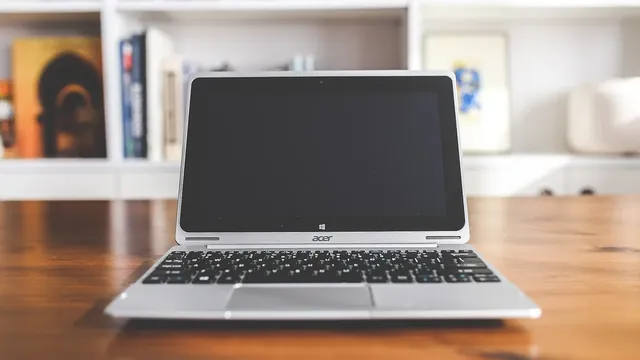
Krira TV on PC & Windows: Complete Setup Guide
Learn how to watch Krira TV on a PC or Windows laptop using an Android emulator, including setup steps, controls, display tips, and performance advice.

Resources

Stop Krira TV buffering and playback delays with fixes for slow internet, background apps, outdated versions, storage limits, and device performance.
Buffering is one of the most common frustrations experienced by streaming users. Few things are more disappointing than preparing to watch an important sports match only to encounter interruptions, loading delays, or unstable playback. You can find the current download on the Krira TV for Android page.
While buffering can occur on almost any streaming platform, understanding the causes helps users identify solutions more effectively.
This guide explains common buffering problems, why they occur, and what users can do to improve streaming performance.
If you are new to the platform, start with: Krira TV Features and Live Streaming Guide before continuing.
Buffering occurs when video playback cannot receive data quickly enough to maintain continuous streaming.
Several factors may contribute to this issue.
The most common causes include:
Identifying the correct cause is the first step toward solving the problem.
Internet quality remains one of the biggest factors affecting streaming performance.
A weak or unstable connection may result in:
Users experiencing frequent buffering should first evaluate their internet connectivity.
Helpful practices include:
Internet speed is not the only factor affecting playback.
Device performance also matters.
Limited resources can contribute to:
Users should ensure that their device has sufficient resources available.
Many users overlook the impact of background applications.
Running multiple applications simultaneously may reduce available resources.
Closing unnecessary apps often improves performance.
Older application versions may contain performance limitations that have already been addressed in newer releases.
Users should verify that they are using the latest available version.
For update information, continue with How to Update Krira TV APK and Krira TV Latest Version Features.
Available storage can influence application performance.
Low storage conditions may contribute to:
Maintaining available storage space helps improve overall device performance.
Some devices perform better than others.
Compatibility influences:
Users should verify compatibility before assuming that buffering is caused solely by connectivity.
Read: Krira TV System Requirements for complete information.
Major sporting events often attract large audiences.
Periods of increased demand may sometimes affect streaming conditions.
Understanding this possibility helps users evaluate performance issues more realistically.
When buffering occurs, try the following:
Restart the device.
These simple steps solve many common performance problems.
Some users believe buffering is occurring when the actual issue is application instability.
If problems continue despite a stable connection, additional troubleshooting may be necessary.
Visit: Krira TV App Not Working? Common Fixes for broader troubleshooting guidance.
Long-term performance often improves when users: Krira TV System RequirementsHow to Update Krira TV APKIs Krira TV APK Safe to Use? and Krira TV App Not Working? Common Fixes
Conclusion
Buffering and streaming interruptions are usually caused by a combination of internet conditions, device performance, compatibility limitations, and application status. Fortunately, many of these issues can be solved through simple troubleshooting and maintenance practices.
By understanding the causes of buffering and applying practical solutions, users can create a smoother and more reliable sports streaming experience.
Download Krira TV APKLearn how to watch Krira TV on a PC or Windows laptop using an Android emulator, including setup steps, controls, display tips, and performance advice.
Set up Krira TV on Amazon Firestick and Fire TV devices with preparation steps, sideloading guidance, remote navigation tips, and storage advice.

Understand how much mobile data Krira TV streaming uses per match and per hour, what affects consumption, and practical ways to watch more while using less.