
Krira TV on PC & Windows: Complete Setup Guide
Learn how to watch Krira TV on a PC or Windows laptop using an Android emulator, including setup steps, controls, display tips, and performance advice.

Resources
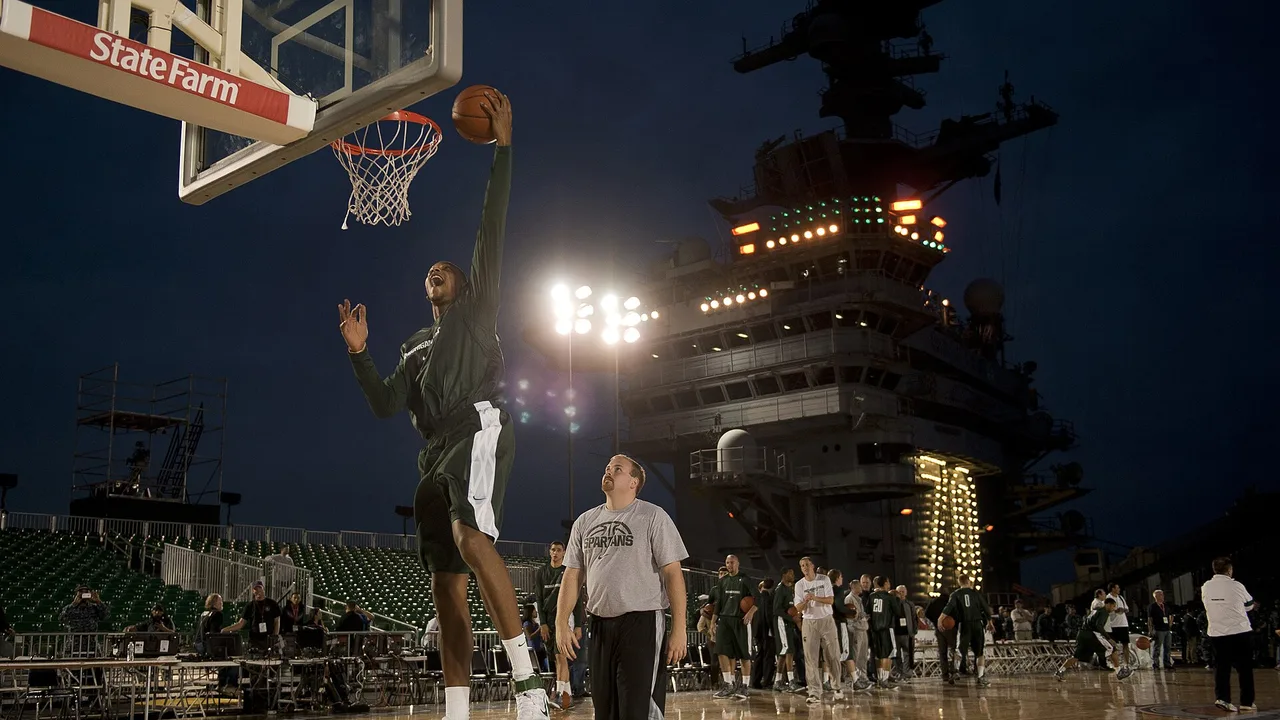
Follow live basketball on Krira TV with guidance on game pace, viewing times across time zones, quality choices, and following leagues through the season.
Basketball moves faster than almost any other televised sport: leads vanish in two minutes, and a quiet third quarter can become a classic finish. Fans who follow it on Krira TV need a viewing setup that respects that pace, quick channel access, reliable streams, and a plan for games that air while their city sleeps. You can find the current download on the Krira TV APK page.
This guide covers the basketball-specific side of viewing: how the sport's calendar works, what its broadcast rhythm demands, and how to follow a full season rather than a single game.
For the general channel picture across sports, our channels guide remains the starting point; here we stay on the court.
A professional basketball season is a marathon of eighty-plus regular-season games per team, followed by playoff series that can stretch across two months. No fan watches everything; following basketball means choosing the matchups that matter.
Marquee rivalries, star-player duels, and late-season games with playoff consequences are the natural priorities. Tournament basketball, including international competitions, compresses the same drama into a few intense weeks.
Much top-level basketball is played in North American prime time, which means early-morning finishes in Asia and late nights in Europe. Decide in advance which games deserve the lost sleep; highlights exist precisely for the rest.
Weekend games often start earlier and suit international viewers far better. Building your viewing week around those fixtures keeps the habit sustainable across a long season.
A stream that buffers during a fast break returns after the dunk. Basketball's continuous flow, with no natural breaks for minutes at a time, punishes unstable connections more than stop-start sports do.
Choose stability over maximum sharpness for basketball. A steady standard-quality picture that never freezes serves the sport better than a fragile high-definition one.
Second-screen habits are part of basketball culture: live box scores, shot charts, and fan discussion run alongside the broadcast. Keep the stats app on the phone and the game on the bigger screen where possible.
Beware spoilers in group chats during delayed viewing. If you plan to watch a recording later, silence the basketball chats first, one message can erase a whole fourth quarter.
Playoffs change everything: the same two teams meet up to seven times, adjustments accumulate, and every game carries elimination pressure by the end of a series. Viewing with that arc in mind makes even early-series games richer.
Expect tip-off times to shift and games to run long with late fouls and reviews. Build buffer time into your evening rather than scheduling anything immediately after a playoff game.
Tournament-style college basketball in March delivers single-elimination drama that casual fans enjoy as much as devotees, while international tournaments bring national teams and different playing styles into a short window.
These events are ideal entry points for new viewers: the stakes explain themselves, and every game is available in a compact schedule.
Basketball suits group viewing: the scoring is frequent, the stars are visible without helmets or pads, and even newcomers understand a close finish. A TV setup, through casting or an Android TV device, turns a phone stream into a shared event.
Keep the remote discipline simple, one person controls the stream, everyone else enjoys the game, to avoid mid-play channel accidents.
Standings, injury news, and trade rumours shape what each game means. Five minutes with a reliable news source before tip-off adds context that commentary assumes you already have.
Highlights packages the next morning close the loop on games you skipped, keeping your season story complete without watching every minute.
Phones handle basketball surprisingly well because the ball and players are large relative to the frame compared with wide-pitch sports. Hold the phone horizontally, raise brightness, and use headphones in shared spaces for commentary clarity.
Data use adds up across a season of games, so Wi-Fi viewing at home and selective mobile viewing away from it is the sustainable pattern for most fans.
Pick your team, mark the rivalry games, protect the playoff weeks, and forgive yourself the rest. Basketball's volume defeats completionists; it rewards followers who choose well.
Krira TV's role in that habit is simple: the game is there when you decide it matters, on whichever screen is nearest.
Conclusion
Basketball asks for rhythm, from its players and from its viewers. A stable stream, a realistic schedule across time zones, and highlights for the games you skip will carry you through an entire season without burnout.
Choose the matchups that matter, guard your sleep in the regular season, and spend it freely when the playoffs arrive.
Download Krira TV APKLearn how to watch Krira TV on a PC or Windows laptop using an Android emulator, including setup steps, controls, display tips, and performance advice.
Set up Krira TV on Amazon Firestick and Fire TV devices with preparation steps, sideloading guidance, remote navigation tips, and storage advice.

Understand how much mobile data Krira TV streaming uses per match and per hour, what affects consumption, and practical ways to watch more while using less.